Showing posts with label Blackberry. Show all posts

Smartphone Shortcomings- 4 big ways smartphones are expected to improve [Infograph]

By: Marwan, February 23, 2014
Smartphones are credited for being so advanced and convenient. Most modern smartphones show you directions to a nearby shop without you needing to even touch the screen. There are however limitations that have been created. I used to charge my very old Nokia once a month, and now an average smartphone is charged 2.4 times a day in New York.

There is room for improvement for smartphones, and today I'm sharing with you an infographic from the folks at Computer Science Hub that shows the 4 big ways smartphones are expected to improve in the near future. I hope you like it.
Read more ...

How to Set A Gyroscopic Panoramic Wallpaper in iOS 7

By: Marwan, June 15, 2013
Out of the many unannounced features in iOS 7 comes a new cool one. Android has had a similar feature for years as they could set a panoramic wallpaper that changes as you switch pages. Apple's hit at a panoramic wallpaper is that the wallpaper is moved across as you move your device. It's your own opinion as to which one you would prefer over the other.

Below is a Vine demo on what the panoramic wallpaper looks like:


It's pretty amazing and it shows Apple's approach towards features that they've been long behind in implementing them. Additionally, you can get a glimpse of the panoramic wallpaper when in apps such as Safari, Phone, etc. This is due to the translucent theme in Apple's new iOS.
Read more ...

Blackberry announces BBM on iPhone and Android for this summer

By: Marwan, May 14, 2013
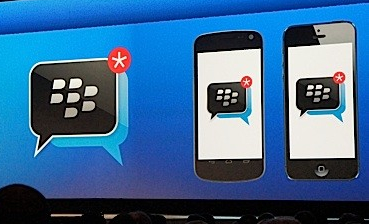
Big news today. Blackberry announced plans to release BBM for iOS and Android this summer. A move which should have arguably happened earlier. Yet, the announcement came in as good news for most people. There's a lot more behind this though, and what it means for the future of Blackberry.

BBM will first get released with basic features. Users will have the ability to chat using text with individuals and in groups. According to the plan, this is it for the summer. But more features such as voice chat and screen sharing will come later in.

Read more ...

Follow 3 Simple Steps and own any smartphone to completely increase your productivity level

By: Marwan, March 25, 2013
We all want to be productive in our lives. Some want to simply do their work while others even want to become someone remembered in history. To do this, we need to get over procrastination and begin a new routine in our lives. Making a time table and hoping that this will help you do what you want to get done barely ever works, and all the methods on the internet are useless. Don't worry we've all been there, and I've been there. But for the last few weeks I have been testing and experimenting with some free apps and seeing which works best.

Although ironically I didn't blog for quite a long time, and blogging was on my list of things I really want to do, I now understand why I wasn't blogging recently and will explain it all in this post. What you're about to read could be your lifesaver.

Read more ...

Top 5 Productivity Apps for Blackberry

By: Marwan, January 16, 2013
This is a guest post by Sarah Bruce. To write us a guest post please click here.

Owning a Blackberry and not using its best available apps is bĂȘtise. There may be some apps that you use off and on for fun, but that’s not it. Applications to increase productivity are must-to-have. Whether its about managing personal finances or keeping important records, these applications make it happen effortlessly. And the best thing to add, is that many such apps are available for free. A list of 5 best apps, which are free and made to enhance your productivity are discussed below.

Read more ...

How to stop Whatsapp from saving images to camera roll

By: Marwan, January 11, 2013
Whatsapp, one of the world's most popular IM apps has a feature that could start becoming annoying for some users. Whatsapp saves any picture that you receive automatically to your camera roll. On some devices the pictures are saved in their own album, which doesn't make any problem. However, on other devices such as the iPhone, the pictures are saved in the camera roll alongside other pictures.

This could be extremely frustrating if you receive a lot of pictures over whatsapp that you only want to view once, but it ends up flooding your camera roll. Whatsapp made it easy to disable this feature. The process is really simple and it should be similarly done on any device with Whatsapp. Read on for a step-by-step guide.
Read more ...

How to get notifications for every new tweet by a certain user

By: Marwan, December 26, 2012
There are these Twitter accounts that tweet really funny tweets and don't tweet so often so I don't get to see their tweets on my timeline so often. I sometimes wish I could be notified for every time they tweet so I can see their tweet. This is exactly what I'll be showing you in this tutorial.

What you need is a smartphone. You can't subscribe from your laptop so you have to do it from your phone.

Read more ...

Maybe Blackberry 10 is really good after all!

By: Marwan, September 26, 2012
I have never ever liked a Blackberry before. These useless devices that had the least tools of communication compared to other smart phones was seen as a social communicating device. And I just hated the fact that people used Blackberry so much (especially where I live). It was all until today. Today I say two videos of Blackberry 10 that made me see that Blackberry might still have a future than die out over the next few years. Blackberry 10 could revolutionize what a Blackberry can do. It is that good. The first one is a quick review of Blackberry 10 Alpha B, followed by a song made by three Blackberry vice presidents. Yes the vice presidents do sing!

Read more ...

Top 3 dangers for teenagers that BlackBerry monitoring software can prevent

By: Marwan, August 29, 2012
This is a guest post by Brian Coulter (more details at the bottom of the post). Credits go to him. If you would like to write us a guest post click here.

What happened to the world? When did it become so dangerous for kids just to walk back from the school? Or date? Or have friends?
Whatever the reason, our teenagers simply don't have the experience and maturity to take the best decisions. That's why it's up to us, the responsible, adult parents, to look after them and protect them, sometimes even from themselves.
One way we can do that is by using BlackBerry monitoring software. Suffice to say, it allows you to know everything that's going on with your teenager's life that he is keeping from you.
In fact, here are the three most common dangers that teenagers face in this country:
Read more ...

Facebook adds Find Friends Nearby- great way to add nearby friends

By: Marwan, June 25, 2012
Facebook adds a new feature to Facebook called Find Friends Nearby. The app is a great way to perform what it should do. The point of this app is help you add new friends when you meet them. The app is not made to help you find friends who love close to you that have a Facebook account, instead both users need to have the webpage loaded on their mobile phones so that they are visible to each other.

You know when you have a good day out and meet new people whom you would like to be friends with. So instead of asking for their phone number and stuff, both of you open up the address on your phones and within seconds could have each other on your friend list.


Another great move by Facebook?
Read more ...

Facebook will soon be launching a smartphone [unconfirmed]

By: Marwan, May 28, 2012
This isn't just a random rumor flying past the internet, but this is a highly expected possibility. Facebook is expected to release a smartphone. This would be one huge step to reserve their spot as one of the top, if not the best, social networking business. You may like to read this post on how Facebook is getting back in the lead in iOS.

 But now it doesn't seem to be simply iOS, but the mobile industry as a whole. Nick Bilton reported on his blog that:
Read more ...

How to get BBM icon on your iPhone

By: Marwan, May 26, 2012
Please note: this is not a way to get the BBM app, you are only getting the icon.

So here's a simple step by step guide on how to  get the BBM icon on your iPhone. There's no practical point of this other than to trick your friends, but once they open up the app it will launch the image of the icon in safari. But is still looks pretty cool on your homescreen!

Read more ...

An unbiased guide of choosing a smartphone and contract

By: Marwan, April 28, 2012
As I was checking some guides on ehow my attention was caught by a video guide about buying a smartphone on budget. I watched the video and found it really interesting as it's an unbiased guide about choosing your smartphone and contract even when on low budget. If you are thinking of getting a smartphone then this video is for you.


Buying a Smartphone on a Budget -- powered by ehow

I think this video provides you a great guide about what phone to choose and what contract to have. What do you think? Good video right?

Read more ...

Free apps kill your battery!

By: Marwan, April 13, 2012
This is a guest post kind-fully written by Diana Maria (more info at the bottom of the post). Credits go to her. If you would like to write us a guest post please click here.

Free apps kill your battery
One of the most concerned issues about the smartphones is their battery efficiency. Smartphones are known to consume more battery as compared to the other phones. A computer scientist at Purdue University, Abhinav Pathak, claims that even running just one Android application at a time can consume up to 90% of the battery power. The reason of less battery backup time does not solely rely on processing and display of smartphones but the free application that a user runs consume more battery power giving lesser battery backup.
According to a survey conducted by Purdue University and Microsoft Research, the free apps turn on the phone hardware to serve up ads and store data even at a time when the application is not in use. This way the application uses more battery after its usage than the amount it would have consumed while running. The main culprits for less battery backup are those games and applications which depend upon the features of GPS and Proximity sensor or the Camera of the phone.

Read more ...

Sync Facebook calendars into your smartphone's calendar app

By: Marwan, February 20, 2012
I have been looking for a way to sync my Facebook birthdays into my iPhone. After a bit if research I found the method which allows you to do so on most smartphones.
Below is a step by step guide on how to make this possible, this method does not require a jailbroken or modified device.

1-Launch your phone's Internet browser
2-Open www.Facebook.com
3-Switch to the 'Desktop site'
4-Open up your events on Facebook
5-Somewhere near the top you will find a drop-down menu, click on it
6-You will find an option to export the events, click on it if you would like to export your events, however if you only want to export birthdays click on the birthdays option
7-Repeat step 6 after you have chosen birthdays if you would like to sync birthdays
8-You will get an option to subscribe the the 'Fbcal'
9-Click subscribe
10-Launch your calendar app and you should find them there


Read more ...

Difference between cellular data and 3G

By: Marwan, February 9, 2012
I often hear that many people are not aware of the difference between cellular data and 3G. Hopefully this post will clear all your doubts if you have any. If it doesn't then leave your question as a comment and I will be happy to help.


Cellular data:


Cellular data is simply mobile internet. If your cellular data is switched off you can not access the internet except if connected to wifi. So if you want to access the internet you will need to have your cellular data switched on or connect to wifi. However, cellular data could drain your credit especially if you are not subscribed to a cellular data network plan.


3G


3G is doubling the speed of your internet but decreasing your battery life. You can not access the internet if only your 3G is on but cellular data is off except obviously over wifi. To be honest accessing internet without 3G on is really slow except for instant messaging apps. Disabling 3G will help save your battery life.


That is all I have got to say about cellular data and 3G. Is there anything you would like to say? Leave a comment and let us know.
Read more ...

How to avoid 'battery too low for radio use' warning on Blackberry

By: Marwan, December 17, 2011
It is annoying when you are running low on charge on your Blackberry. The most annoying thing about it is that you are not allowed to send or receive calls when low on battery.
Thankfully, there is a solution.
Read more ...

Twitter updated- poor customer reviews

By: Marwan, December 16, 2011
Mobile Twitter has recently been updated to a new UI. The new UI features a very HD good looking interface. However, every hero has his weakness. Twitter has been receiving very shocking customer reviews mainly from Apple users. I have just recently visited iTunes and searched for Twitter and these are the disappointing reviews I was greeted with:
Read more ...

Tips- save battery on any smartphone

By: Marwan, November 9, 2011
Longer battery life is a feature wanted by every smartphone user. These are tips on how to increase battery life on your smartphone whether it is Blackberry, iPhone, Android, Nokia, etc.

1-Disable 3G
3G offers a much faster internet browsing speed than Edge. The only disadvantage of 3G is high battery drainage. If you're not sure what the difference between cellular data and 3G is then check this link.
Read more ...

BBM not working worldwide

By: Marwan, October 10, 2011
   WOW! I'd never expected to hear this but Blackberry's main consumer attraction Black Berry Messenger is not working! So far it seems like it's down in all countries, this is a big issue for Blackberry especially since iMessage is coming out on October 12th.
Read more ...

Follow

fb twitter google rss youtube